

Infinite, context-aware generative zoom
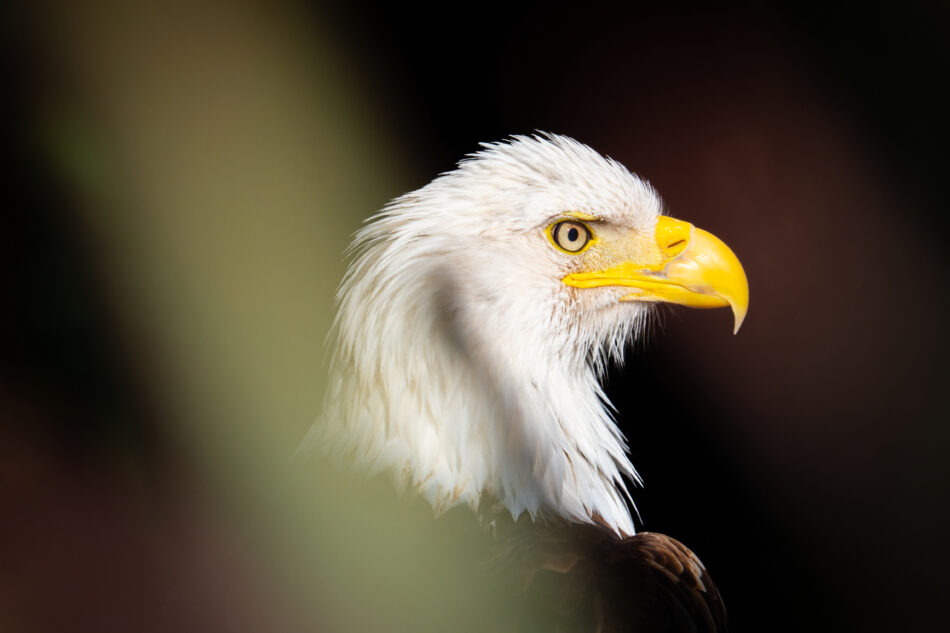
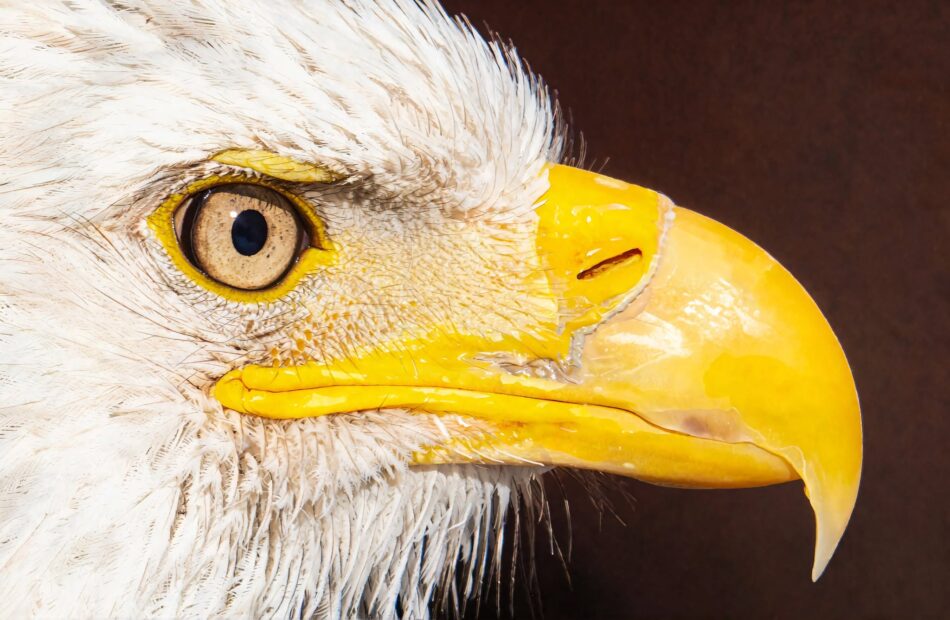
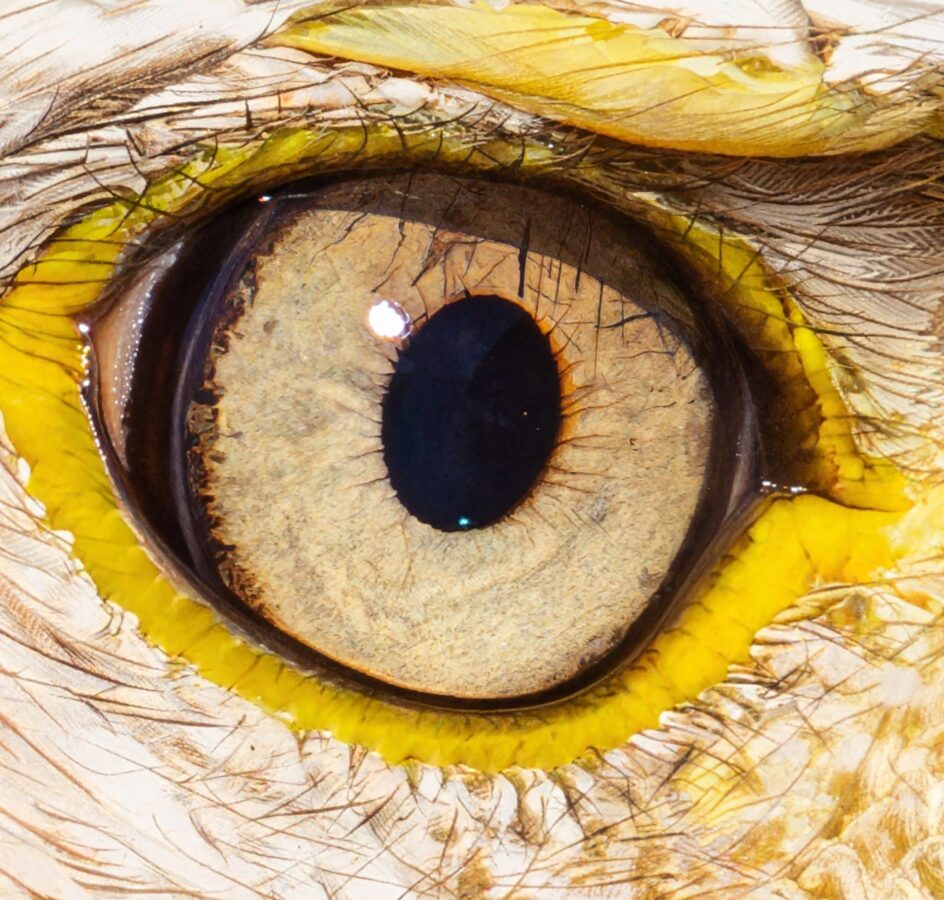
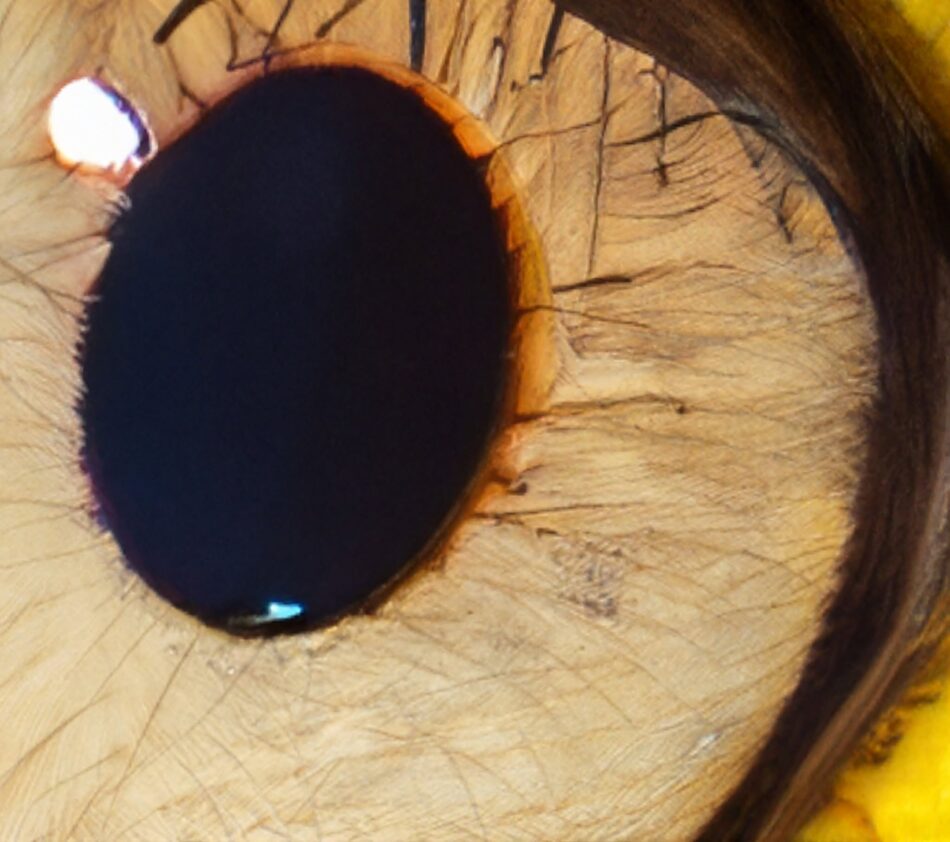
DYSTALGIA lets you travel infinitely deeper into an image while preserving the meaning of the original scene.
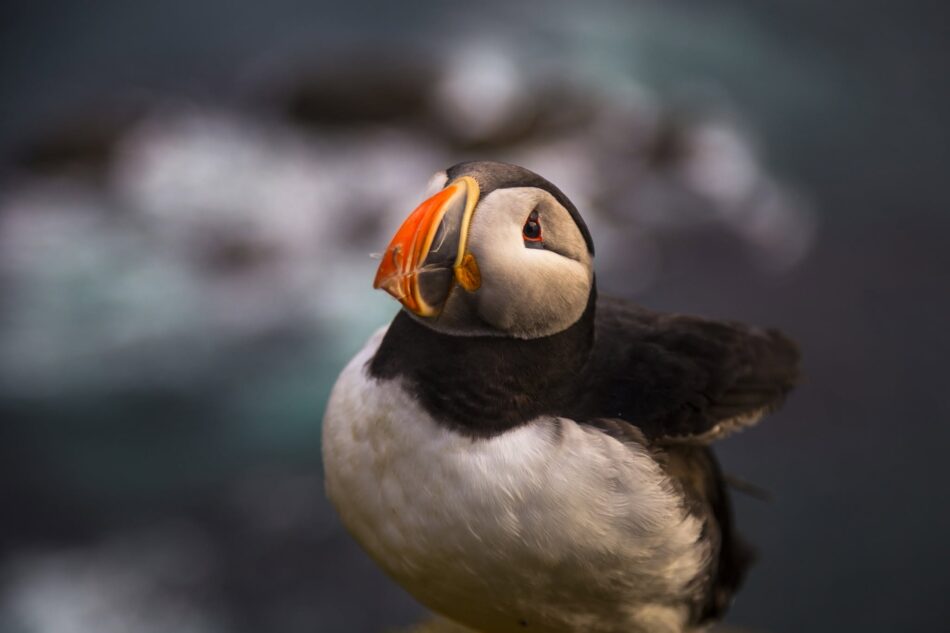
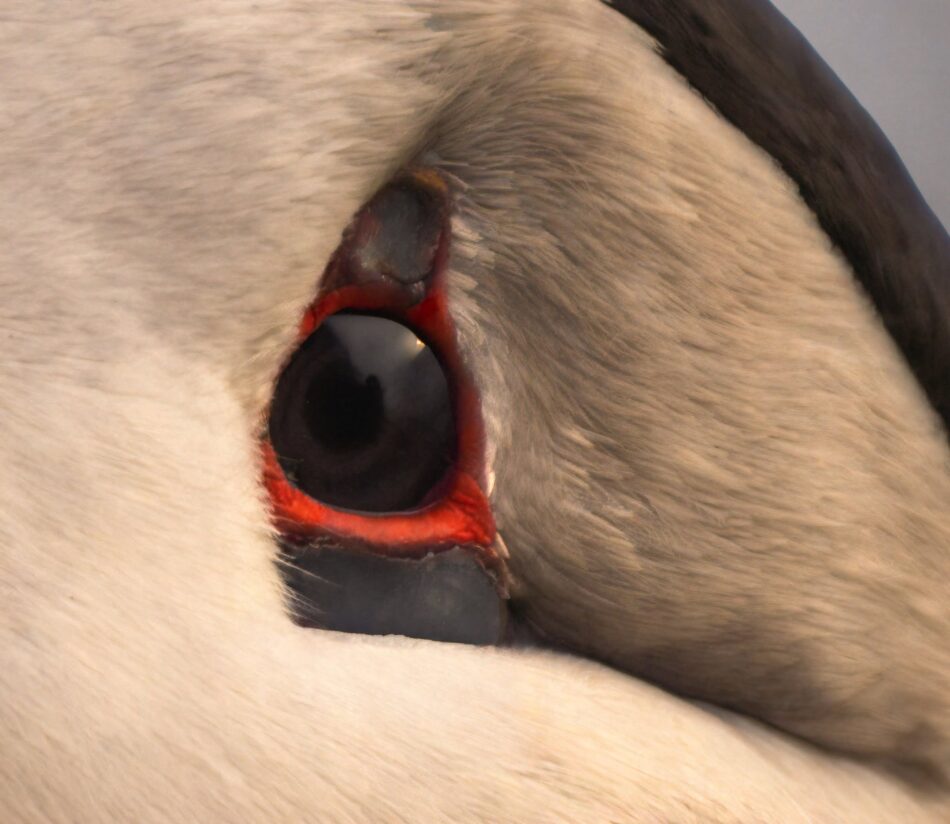
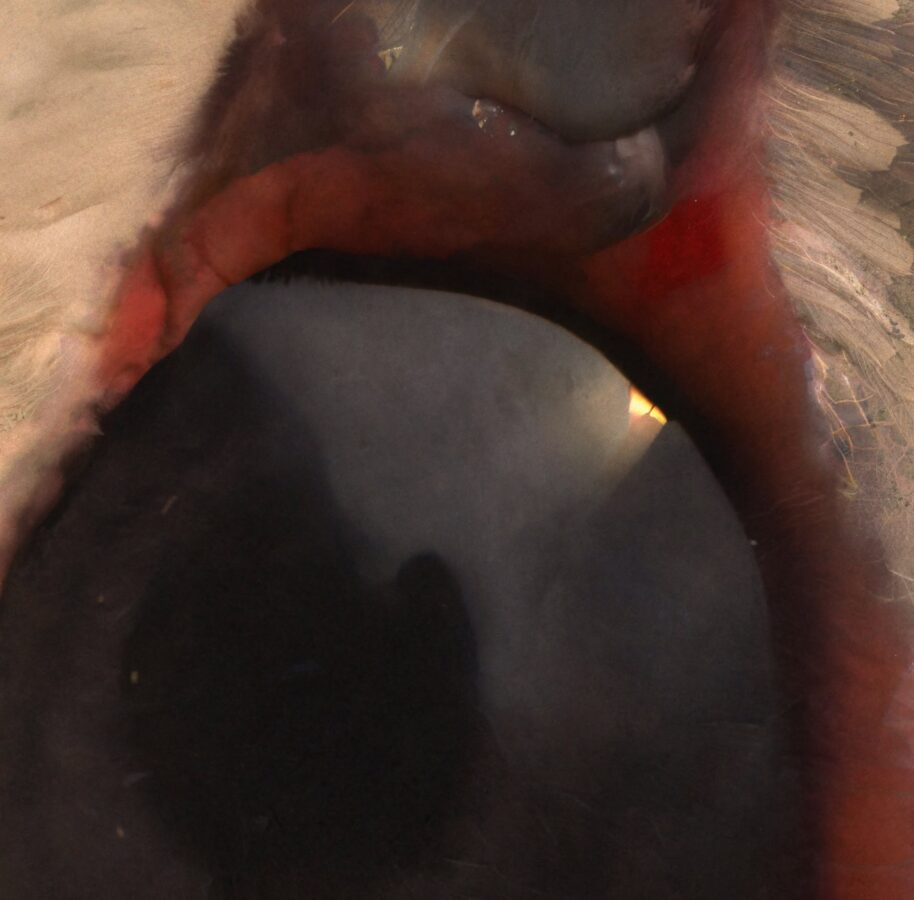
Traditional upscalers enlarge existing pixels. DYSTALGIA does something fundamentally different: it studies the selected crop together with the complete original image, understands their semantic relationship, and generates a plausible new layer of visual detail.
The result can become the starting point for another crop, another generation, and another zoom. This process can continue indefinitely.
It is not just image upscaling. It is context-aware exploration through latent space.
Look closer. Then keep going.
Load an image, frame an area, and ask DYSTALGIA to reveal it.
The application analyzes two things simultaneously:
- the region you selected;
- the complete image from which it came.
This allows it to understand that a distant shape is part of a building, that a reflection belongs to a nearby object, or that a small figure exists inside a much larger environment.
DYSTALGIA then generates a new, detailed interpretation that remains connected to the composition, atmosphere, visual language, and meaning of the source image.
Click Continue into this image, select another region, and repeat.
There is no predefined final zoom level.
The main feature: infinite generative zoom
Most infinite-zoom demonstrations are created backwards. A sequence of previously generated images is assembled into a zoom animation.
DYSTALGIA works interactively.
You can start with any compatible image, select any part of it, generate a new level, and decide where to go next. Every decision can be made during the exploration.
The original image remains available as semantic context across successive generations. This helps prevent the process from immediately losing the identity and logic of the initial scene.
Each zoom level becomes both:
- a new image that can be downloaded;
- a new explorable world.
Read the original article that inspired the application:
What DYSTALGIA can do
Context-aware crop generation
Select a region directly on the image. DYSTALGIA combines the crop with the complete source image and generates a detailed interpretation based on their semantic relationship.
The process is designed to preserve:
- scene identity;
- composition;
- lighting direction;
- atmosphere;
- colors and materials;
- spatial relationships;
- visual style;
- important subjects.
A semantic recovery control lets you choose between a more faithful result and a more imaginative interpretation.
Successive infinite zoom levels
After generating a result, use Continue into this image to make it the active exploration level.
You can then select another crop and generate again.
DYSTALGIA keeps the first image in the context structure, helping later generations remember the world from which they originated.
Automatic semantic prompt generation
DYSTALGIA uses the selected crop and the complete source image to construct a contextual prompt for the generation process.
The final semantic prompt is displayed next to the result and can be copied.
Advanced users can:
- add their own semantic direction;
- inspect the final generated prompt;
- modify the session system prompt;
- edit the default system prompt from a text file.
Direct image editing with FLUX.2 Klein
The dedicated Edit mode provides a focused workflow containing only the controls required for editing:
- crop selection;
- text editing prompt;
- model selection.
Describe what should change, and DYSTALGIA sends the selected area directly to FLUX.2 Klein.
Example instructions:
- Change the red car to dark blue.
- Remove the object from the table.
- Replace the cloudy sky with a clear sunset.
- Repair the damaged architectural details.
- Change the material from plastic to brushed metal.
- Add warm light coming through the window.
- Preserve the face but change the hairstyle.
Edit mode bypasses the semantic zoom, GAN, Krea, recovery, and upscale stages. It uses a direct crop-to-Klein workflow.
To protect VRAM, any crop larger than 2048 pixels on its longest side is proportionally reduced before it reaches the editing model.
Selectable FLUX.2 Klein models
DYSTALGIA supports two local FLUX.2 Klein configurations for editing and denoising.
FLUX.2 Klein 4B FP8
The recommended option for most systems.
- Lower VRAM requirements
- Faster loading
- Suitable for local editing and restoration
- Model weights published under Apache 2.0
- Black Forest Labs usage policy still applies
FLUX.2 Klein 9B Q4
The larger alternative.
- Higher model capacity
- Greater hardware requirements
- Slower loading and inference
- Restricted to non-commercial and non-production use unless separately licensed
Users should review the included EULA and the current upstream model licenses before choosing a model for production or commercial work.
Restoration and denoising
The optional restoration pass uses FLUX.2 Klein to clean the generated result.
It can improve:
- local contrast;
- edge definition;
- chromatic aberrations;
- noise;
- small structural details;
- visual consistency.
A custom prompt can transform the same restoration pipeline into a direct editing pass.
Standalone image generation
DYSTALGIA also includes a separate Generate mode powered by Krea 2 and a realism LoRA.
It provides:
- text-to-image generation;
- optional prompt enhancement;
- square, landscape, portrait, and cinematic resolutions;
- multiple image sizes;
- direct access to the same result and comparison interface.
Prompt enhancement improves lighting, materials, visual clarity, and descriptive precision while attempting to preserve the original subject and intention.
Interactive before-and-after comparison
Every completed operation can be inspected using the synchronized comparison tool.
Select an exact area from the complete result, then move the comparison slider to examine the same region in both versions.
This avoids misaligned images and makes it easier to evaluate small changes.
The result area also provides:
- the final semantic prompt;
- one-click prompt copying;
- access to intermediate outputs;
- descriptive download filenames;
- continuation into the generated image.
Intermediate outputs
Depending on the selected workflow, DYSTALGIA can preserve multiple stages:
- original context image;
- original crop;
- noise-prepared upscale;
- GAN upscale;
- Krea result;
- Klein denoised result;
- Klein edited result;
- final high-resolution output.
Files are saved locally inside the ComfyUI output directory.
Hardware monitoring
The interface displays live information about the computer running the application:
- GPU utilization;
- VRAM usage and capacity;
- CPU utilization;
- system RAM usage and capacity.
The optional low-memory cleanup unloads models and releases cached RAM and VRAM after a completed result.
This is especially useful on systems with limited graphics memory.
Emergency inference control
A contextual floating button is available when an image and crop are ready.
- START begins processing the selected crop.
- During inference, it becomes STOP INFERENCE.
- STOP interrupts the current operation.
- Pending ComfyUI jobs are removed from the queue.
- Loaded models are released from RAM and VRAM.
The control remains accessible even when the user has scrolled away from the main controls.
How uncensored is DYSTALGIA?
DYSTALGIA is a local creative application. It does not depend on a commercial cloud image-generation API and does not send images or prompts to a DYSTALGIA-operated moderation service.
This means:
- your prompts are processed locally;
- your images remain on your computer;
- there is no cloud account reviewing your creative choices;
- there are no subscription-based generation credits;
- there is no remote service silently changing your prompt;
- the available creative range is largely determined by the locally installed models.
However, DYSTALGIA is not presented as an “anything goes” abuse tool.
It includes narrow local protections intended to reject explicit requests involving:
- child sexual abuse material;
- sexual exploitation of minors;
- non-consensual intimate imagery;
- doxxing and targeted exposure of private information.
Users must also accept a responsible-use notice. They remain responsible for consent, privacy, intellectual-property rights, applicable law, model licenses, and reviewing generated results before publication.
The intention is to provide broad artistic freedom without designing the application around clearly abusive use cases.
Privacy
DYSTALGIA and ComfyUI bind to the local computer through 127.0.0.1.
The application does not intentionally upload your images or prompts to a service operated by DYSTALGIA or Aurel Manea.
All main operations—including semantic analysis, generation, editing, upscaling, comparison, and file saving—are orchestrated through the local ComfyUI installation.
Third-party ComfyUI extensions installed by the user may have their own behavior. Users should independently inspect and evaluate additional extensions.
What DYSTALGIA does not do
DYSTALGIA does not recover factual information that was secretly present beyond the resolution of the source file.
When the application reveals a distant face, room, building, landscape, object, or texture, it generates a plausible interpretation using the visible image and its semantic context.
The result is not forensic evidence.
It should not be used to identify people, recover license plates, reconstruct security footage, or claim that generated details were present in the original image.
DYSTALGIA is a tool for:
- visual exploration;
- storytelling;
- concept development;
- experimental photography;
- surreal journeys;
- world-building;
- creative image editing;
- generative art.
System requirements
Operating system
- Windows 10 or Windows 11
- 64-bit operating system
- Current NVIDIA graphics driver
Graphics card
An NVIDIA RTX graphics card is required.
Minimum supported generation:
- NVIDIA RTX 20 series or newer
Older or non-RTX cards are not officially supported.
Practical VRAM guidance
8 GB VRAM
- Minimum practical configuration
- Klein 4B recommended
- Lower resolutions recommended
- Low-memory cleanup should remain enabled
- Model offloading may make operations considerably slower
12 GB VRAM
- Recommended starting point
- Better experience with Klein 4B
- More flexibility for larger images
- Reduced dependence on aggressive offloading
16 GB VRAM
- Comfortable for most DYSTALGIA workflows
- Better performance at higher resolutions
- More practical model switching
24 GB VRAM or more
- Recommended for the largest workflows
- Better suited to Klein 9B
- Faster repeated operations
- More headroom for high-resolution generation and editing
Actual memory requirements depend on resolution, model selection, installed ComfyUI version, precision, attention implementation, and other applications using the GPU.
System memory
- 16 GB RAM minimum
- 32 GB RAM recommended
- 64 GB useful for extensive model offloading and large workflows
Storage
- SSD strongly recommended
- At least 35 GB of available space
- 50 GB or more recommended for models, intermediate images, outputs, and future updates
Model configurations can require additional storage.
Processor
- Modern 64-bit Intel or AMD processor
- 6-core CPU or better recommended
Most inference work is performed by the GPU, but model loading, preprocessing, image encoding, and offloading also use the CPU and system memory.
Local trial and activation
DYSTALGIA includes a 20-day local trial.
The trial begins at the exact moment the application is launched for the first time. Its first-run identity and timestamps are stored under the current Windows user account.
Re-downloading or extracting the application again does not restart the trial.
Activation is performed through the Enter key button.
No online account is required for the current offline activation workflow.
Model and license notice
DYSTALGIA combines multiple models, tools, custom nodes, and open-source software components. Each component retains its own license and usage conditions.
Important examples include:
- FLUX.2 Klein 4B FP8
- FLUX.2 Klein 9B
- Krea 2
- Qwen-derived encoders
- ComfyUI
- ComfyUI custom nodes
- realism LoRA models
- image upscalers
FLUX.2 Klein 9B has important non-commercial restrictions. Selecting a model inside DYSTALGIA does not grant additional rights to use or redistribute that model.
Always review the included EULA and current upstream terms before commercial use.
The idea behind DYSTALGIA
DYSTALGIA began as an exploration of a simple question:
Can a generative model zoom into one part of an image without forgetting the world around it?
The application is based on the idea that a crop should not be interpreted in isolation. The complete image can act as a semantic map, providing clues about identity, scale, atmosphere, relationships, and visual continuity.
I described the original technique and its implications in detail here:
Read: The Latent Space Technique Adobe and Everyone Else Will Steal Next
After writing the article, I decided to turn the experiment into an application through a vibe-coding collaboration with OpenAI Codex.
DYSTALGIA is the result: a working interface for infinite, context-aware generative zoom, direct image editing, local generation, and exploration through latent space.
Enter the image
Load an image.
Select a detail.
Generate what might exist inside it.
Then continue.
There is always another level.

Pingback: The Story on how 10 Years Ago I Built Romania’s First VR App - Dystalgia - Aurel Manea Art